Ambient Scribeยท Launch From Your EHR
Ambient Scribe

Launch Right From Your EHR

Already in the patient's chart? With single sign-on, Ambient Scribe opens with the patient and visit already in context โ€” no second login.

๐ŸŸข Patient in context๐Ÿ‘† One click๐ŸŽ™๏ธ Straight to the visit
๐Ÿ”— Shown in TouchWorks & Veradigm
by
Ambient Scribe

One click hands off the whole context.

You're already in your EHR with the right patient open โ€” so Ambient Scribe skips the login and the schedule.

1

You're in the chart

The right patient and visit are already open in your EHR.

โ†’
2

One click to launch

Ambient Scribe opens with that patient and encounter carried over.

โ†’
3

Straight to the visit

No re-login, no schedule to pick โ€” you land ready to document.

by
01
Ambient Scribe
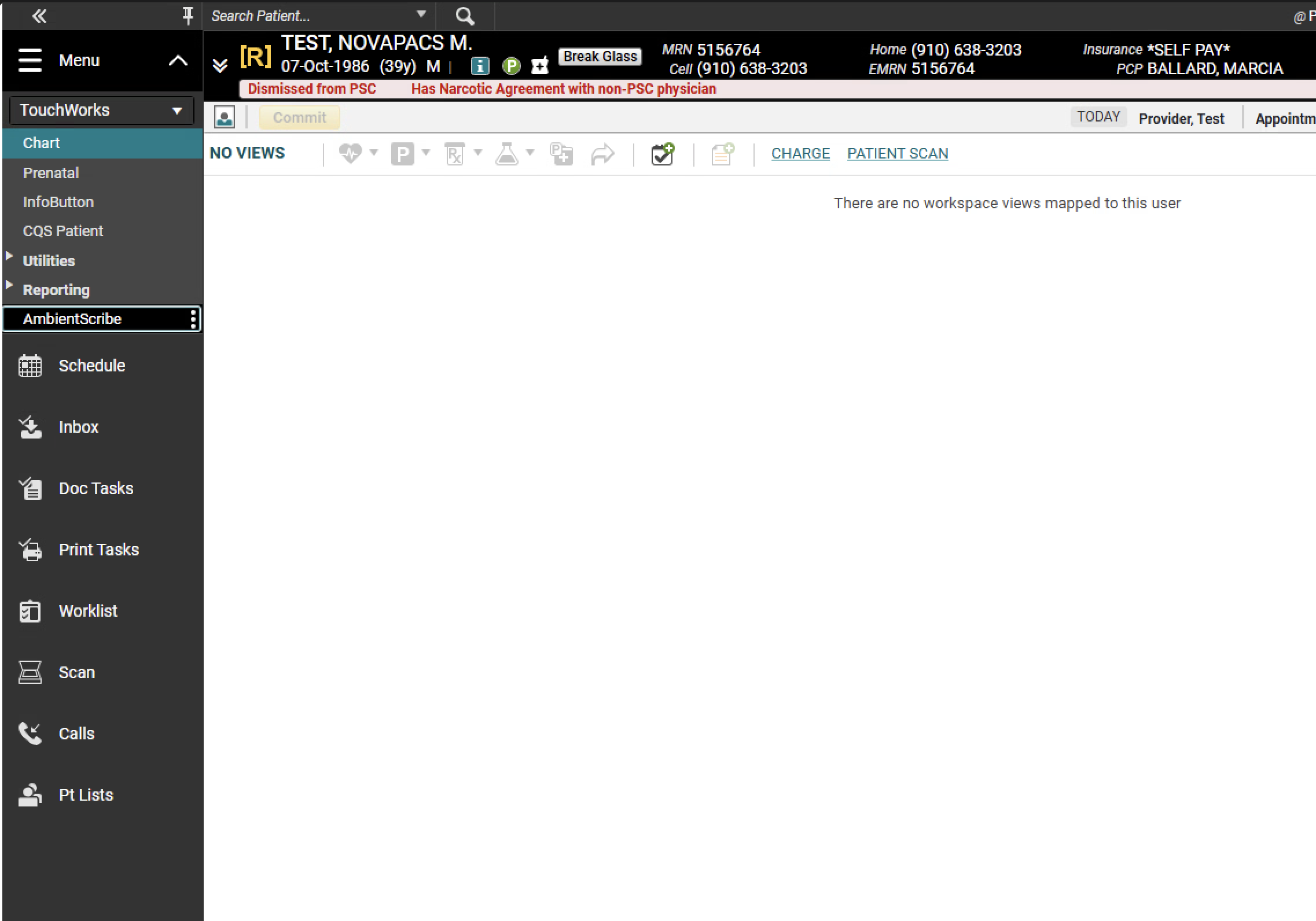
2 Launch from TouchWorks

Open the menu, click AmbientScribe

With your patient in context, open the side menu and click AmbientScribe.
It comes along
The patient travels with you โ€” Ambient Scribe opens ready to document this exact visit.
by
02
Ambient Scribe
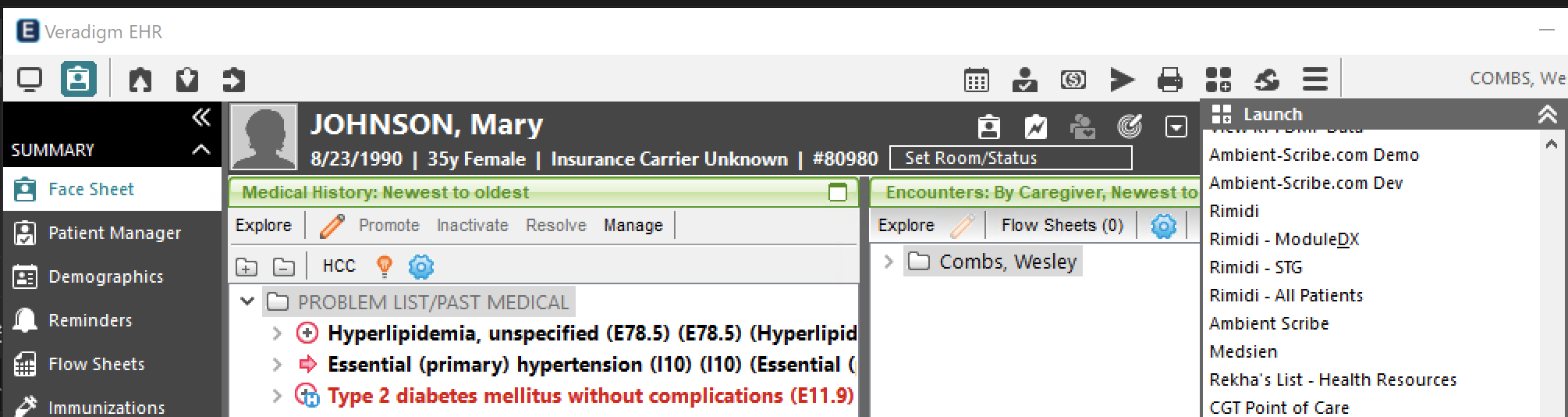
3 Launch from Veradigm

Launch external apps โ†’ Ambient Scribe

Click the Launch external apps button up top, then choose Ambient Scribe from the list.
Same idea
Your patient and encounter come along โ€” nothing to retype, no searching.
by
03
Ambient Scribe
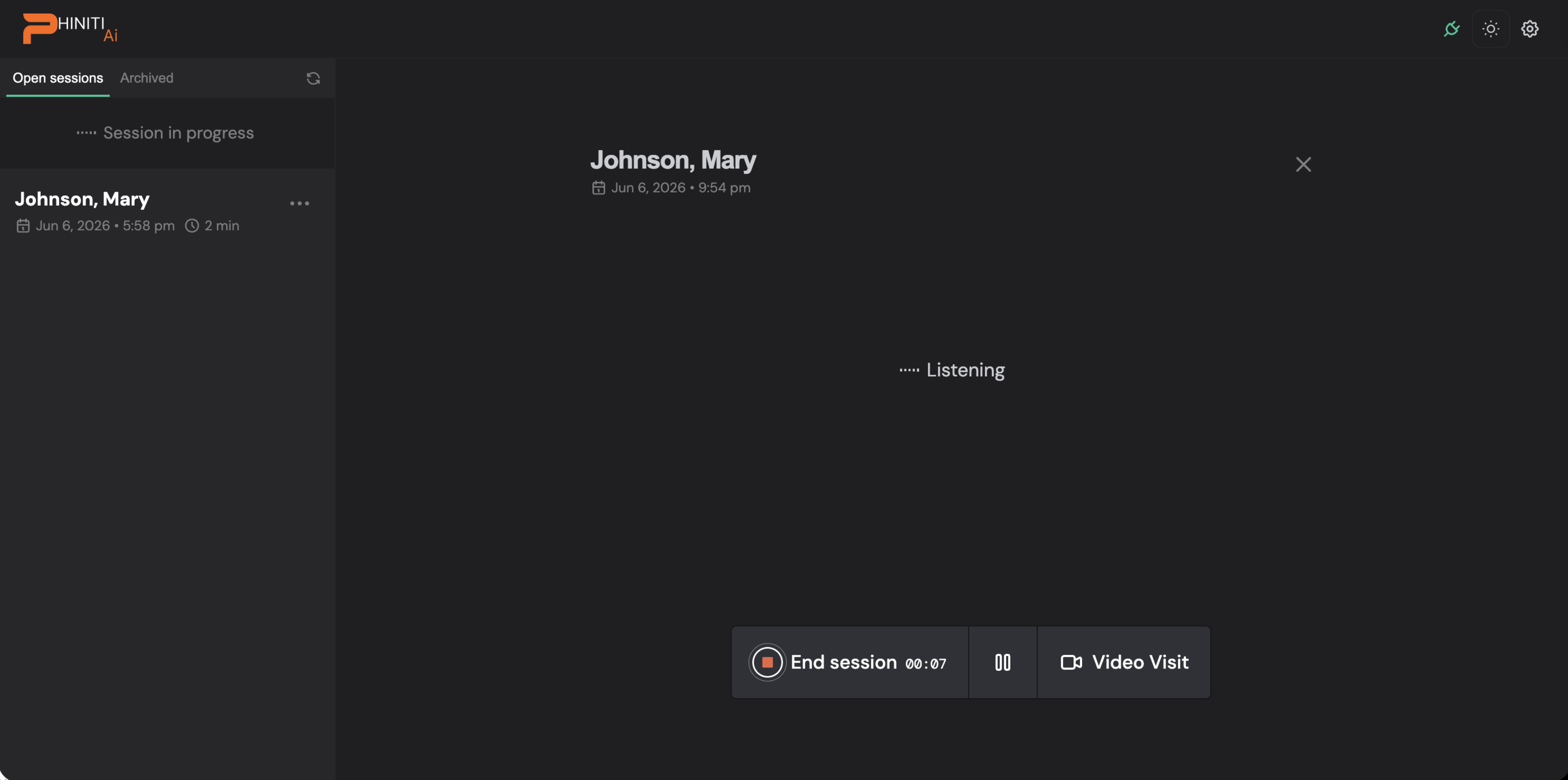
4 Straight into the visit

Already loaded โ€” just start talking

Because the visit's already loaded, you land right here โ€” Ambient Scribe is listening.
Nothing to set up
No schedule to pick, no patient to find. Just talk to your patient, naturally.
by
04
Ambient Scribe
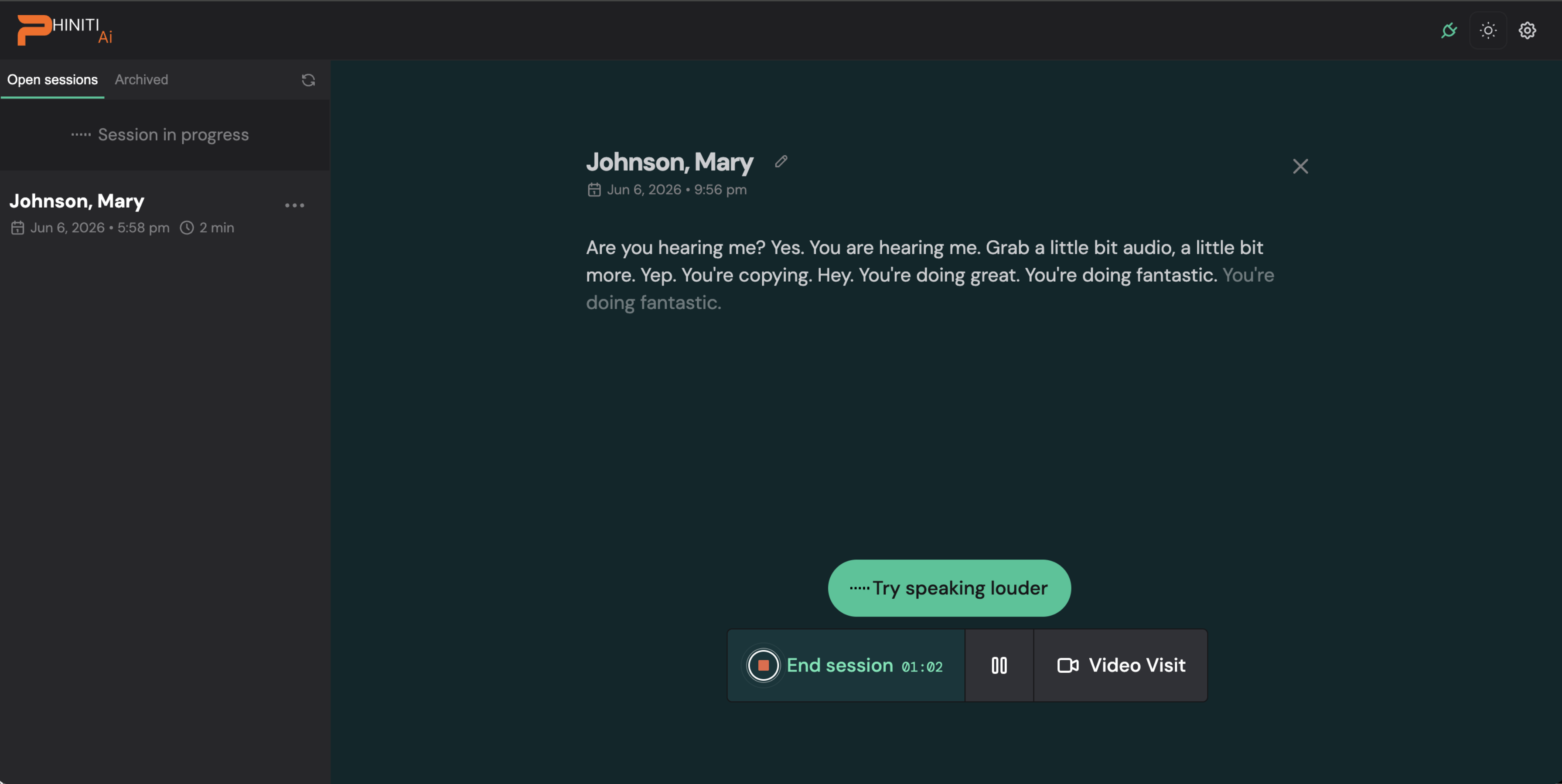
5 It transcribes live

See the conversation as it happens

As you speak, the conversation appears in real time โ€” so you can see it's capturing everything.
It'll help you
If the room is noisy, it gently suggests you speak louder. When you're done, tap End session.
by
05
Ambient Scribe
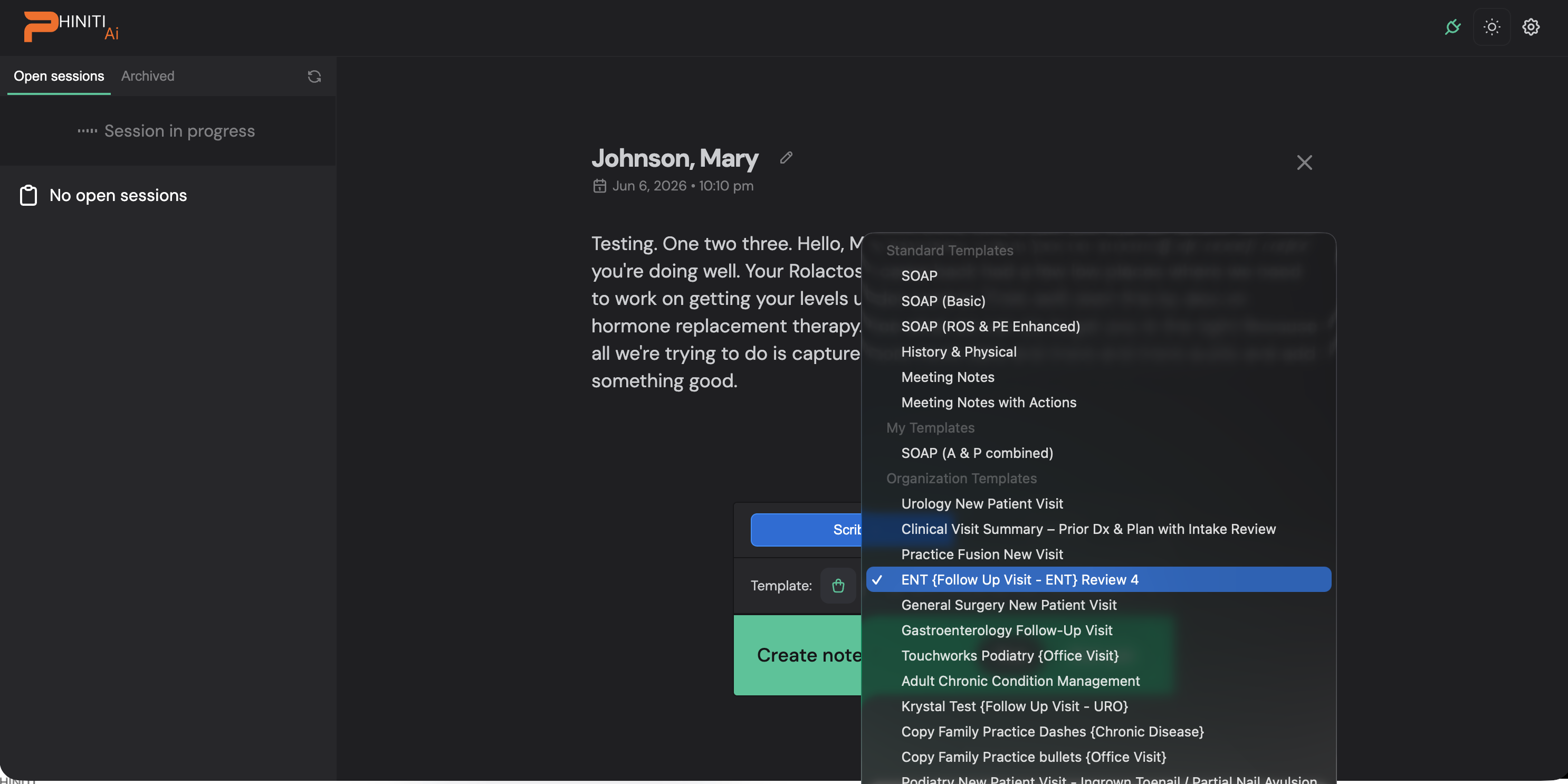
6 Your template, auto-matched

The right note is already picked

Your organization's templates are right here โ€” and the best match for this visit type is already selected.
Just confirm
Most of the time you simply confirm, then hit Create note โ€” Ambient Scribe writes it up.
by
06
Ambient Scribe
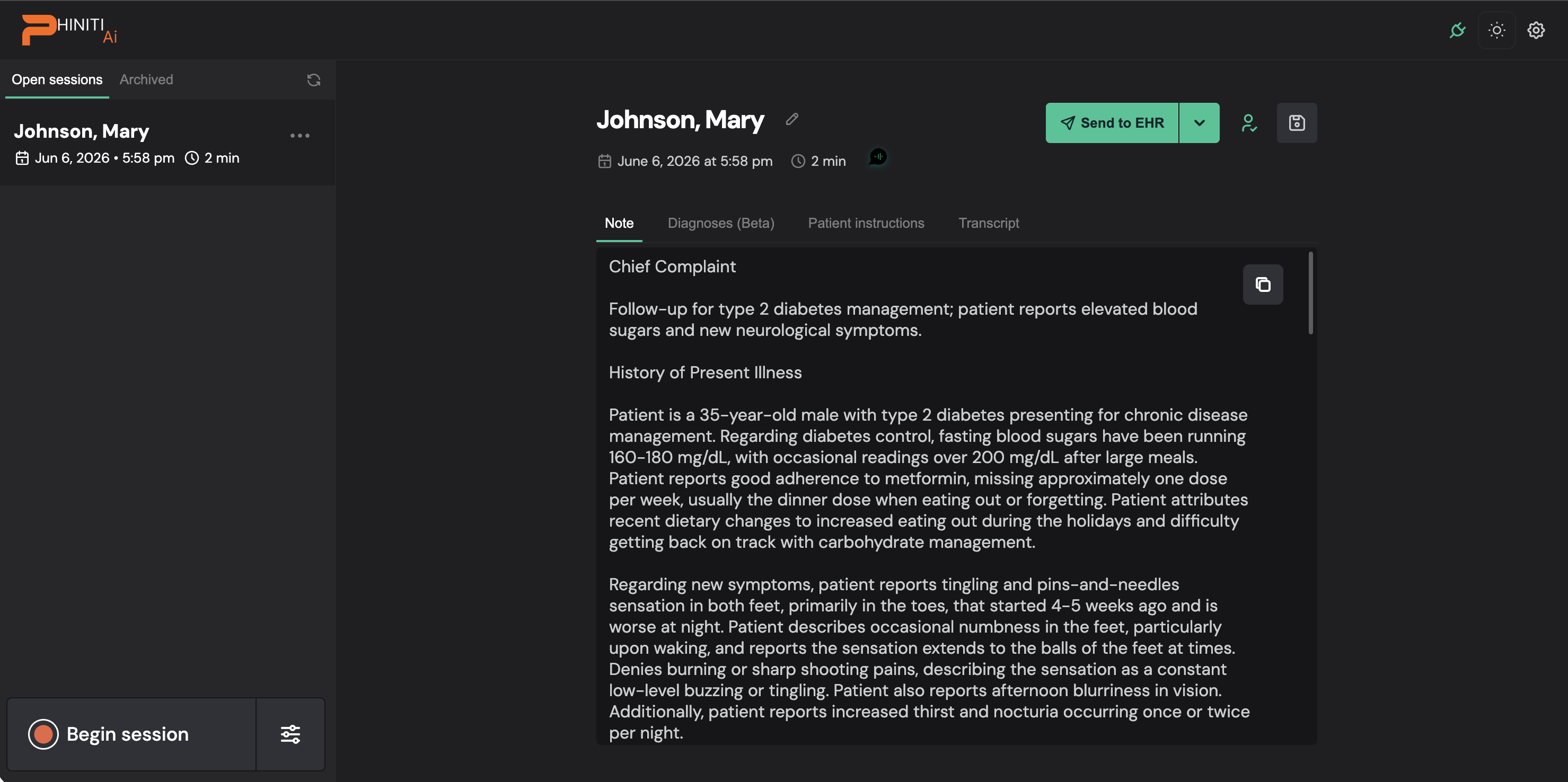
7 Review & send to the EHR

Look it over, then send to the chart

Your note's drafted in your template. Check the Note, Diagnoses, and Patient instructions tabs, edit if needed.
Back where it started
Hit Send to EHR โ€” it flows straight into the chart you launched from.
by
07

Already in the chart? One click to document.

Single sign-on carries your patient and visit straight into Ambient Scribe โ€” and the finished note lands right back in your EHR.

โœ… Patient in contextโœ… One-click launchโœ… Note back in the EHR
Launch from your EHR โ€” and let Ambient Scribe do the writing.
Ambient Scribe  ยท  by
๐ŸŽ™๏ธ Narration 1 / 9
This is the voiceover that will be synthesized for this slide โ€” read it before generating audio.
1 / 9
โ† โ†’ navigate ยท space play/pause ยท N narration ยท E move highlights ยท F fullscreen
โœฅ MOVE HIGHLIGHTS Drag a highlight to move it